Using API Tokens
API tokens allow secure, role-aware access to Guardrail Layer without a user session. They are designed for backend services, scripts, cron jobs, and production workloads.
1. Where to create API tokens
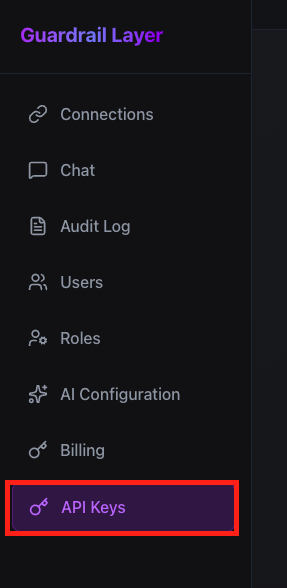
API tokens management screen
API tokens are managed under Settings → API Tokens. Only admins can create or revoke tokens.
- Each token belongs to your organization
- Tokens inherit permissions from a selected role
- No per-token scopes are required
2. Enter token details
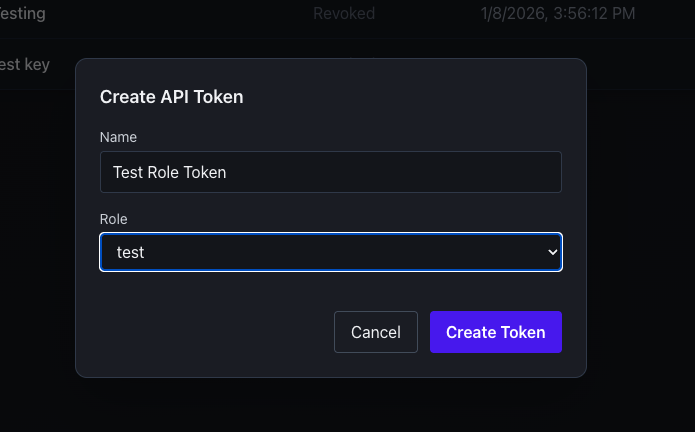
Create token form
When creating a token, you’ll select a role. That role determines everything the token can access.
Guardrail Layer enforces access at query-time using the assigned role. There is no separate API-only permission system.
3. Save and copy your token
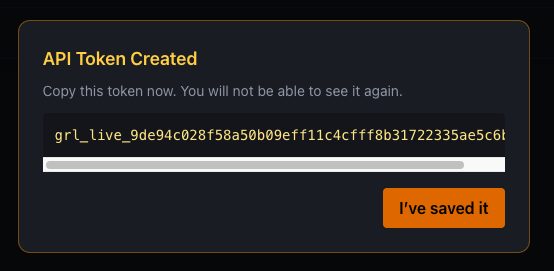
Token shown once — copy and store securely
Tokens are displayed one time only. Make sure to store them securely — they cannot be recovered later.
Authorization: Bearer grl_live_XXXXXXXXXXXXXXXX
You can now use this token to call the /chat endpoint from
your backend, scripts, or services.
Chat API Guide